1 · Create the account
You create your salon, confirm the email address and choose your plan. From a single chair to a chain, you can switch later at any time, so nothing is fixed today.
Help · Setup
Saloncare lays an intelligent layer over the till and calendar you already use. Setting it up changes nothing about your daily business, it adds to it. In most salons the system is running fully after five working days, often sooner.
Overview
Saloncare is the operating system for the modern salon. Today it connects to what you already use, your till and your calendar, and lays a layer of memory, advice and reporting over them; the goal is one system instead of many. Setup therefore mostly means: create the account, connect the data source, invite the team, put the tablet at the chair.
You need no IT department and no engineer visit. The steps run in the browser; the tablet at the chair is set up with a code. We accompany you through it without you having to stop working.
Allow around two to three hours of active work, spread over the first week. The rest happens in the background while Saloncare reads and sorts your existing data.
The sequence
Each step builds on the one before. You can pause at any point and continue later; your progress is kept.
You create your salon, confirm the email address and choose your plan. From a single chair to a chain, you can switch later at any time, so nothing is fixed today.
You connect your till or booking system. Saloncare reads appointments, services and clients without changing them. The details are in the help page on connecting.
You invite your stylists by email and assign roles. Who sees the cockpit, who only works at the chair, who manages billing. Preset roles make the decision for you.
You install Saloncare on the tablet at the station, enter the salon code and assign the device to a chair. From then on the stylist at the chair sees every client's story.
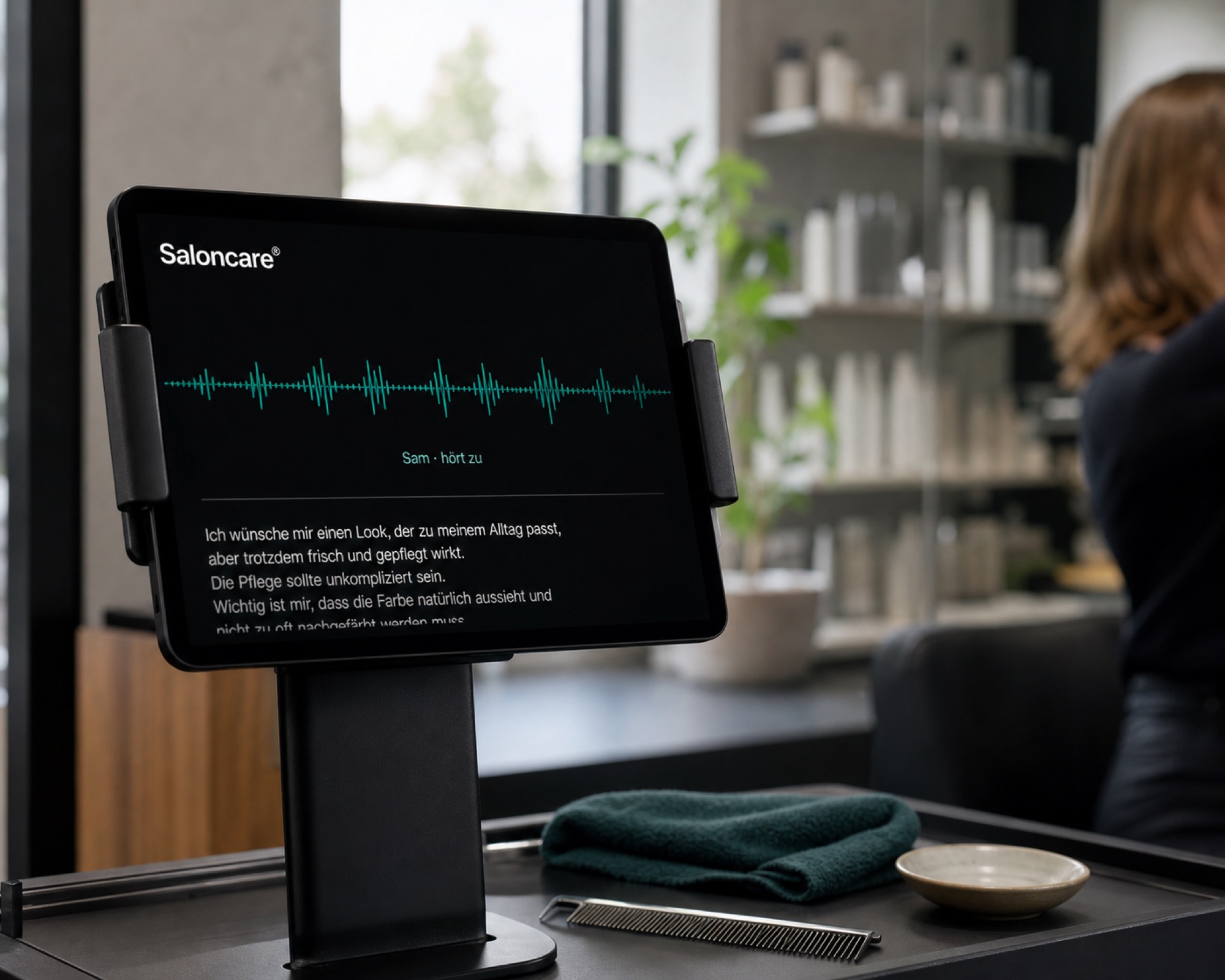
You switch on Sam, the assistant inside the product. Sam reads along, suggests and summarises, but never decides alone. You keep control over every suggestion.
Checklist
Have these ready before you start. Then setup runs in one go.
Data migration
As soon as the data source is connected, Saloncare reads your existing appointments, services and clients and builds the salon memory from them. Every client gets a continuous record: what was done last time, which products were used, which notes the stylist left.
The migration does not change your source data. Saloncare writes nothing back into your till unless you explicitly allow it. You can start safely and check the result before anything becomes binding.
With larger volumes the initial migration continues in the background while you are already working. You can see in the cockpit how far the build has got, and you receive a message once everything is in.
Support
Every plan includes a guided setup. You get a step by step path inside your account, short videos for each station and a named contact if something sticks. Chain and enterprise customers also get a personal setup session, in which we connect the data source and put up the first tablet at the chair together.
If your salon has several locations, we plan the rollout location by location. Every chair stays workable while the next location joins.
Questions
In most salons Saloncare is fully live after five working days. Active work amounts to around two to three hours, spread over the first week; the rest happens in the background while your data moves in. The figures quoted are examples and depend on the size of your records.
Not today, but we are working on it. Today Saloncare connects to what you use, your till and your calendar, and lays an intelligent layer over them. The goal is one system instead of many. Your familiar routines at the till stay as they are.
No. Setup runs in the browser, and the tablet at the chair is set up with a code. There is no engineer visit, and every step comes with guided instructions.
Saloncare reads your existing appointments, services and clients and builds the salon memory from them. The source data is not changed; nothing is written back into your till unless you explicitly allow it.
Yes. You can begin with one chair and invite further stylists step by step. A single tablet at the chair is enough to start; the rest can follow while you are working.
For the tablet at the chair we recommend at least one device per station where you work with a client. You can also start with a single tablet and share it between chairs until you add more.
Then you enter your standard services and prices once, and Saloncare builds from there. The move from pen and paper is described in detail in the help page on connecting.
Yes. From Solo through Salon to chain and enterprise, you can switch at any time; the step up to enterprise is possible too, as your salon grows. Setup does not lock you into a plan.
The world's best salons run on Saloncare®.